
Teacher Portal Instructions
Our Teacher Portal is your key resource for updating your profile, keeping your availability for bookings up-to-date, for keeping track of past and future bookings, and for checking payments and fees.
You can access the Teacher Portal at https://intuition.my.site.com/teacherportal. If you need any assistance, please contact teach@intuitionlang.com / +442077394411.
Portal Features
- Manage your availability for bookings
- Update your personal information and profile
- Access booking information
- Check payments and fees
1. Manage your availability
It is absolutely vital that you keep your availability up to date - both when you are available and unavailable for InTuition bookings - so that we know to contact you with potential courses. It is very quick and easy to do this via the Teacher Portal.
Adding a new available or unavailable period

2. Navigate to the menu in the top left.
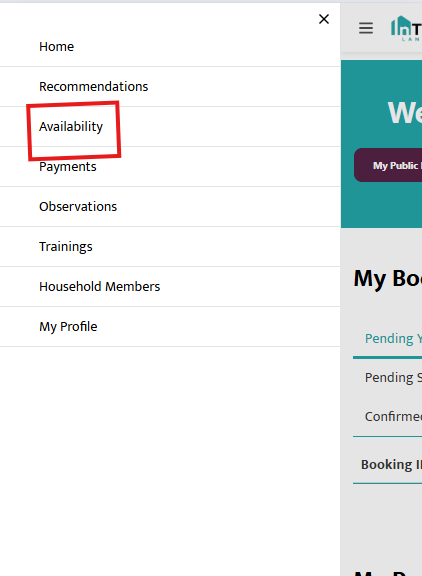
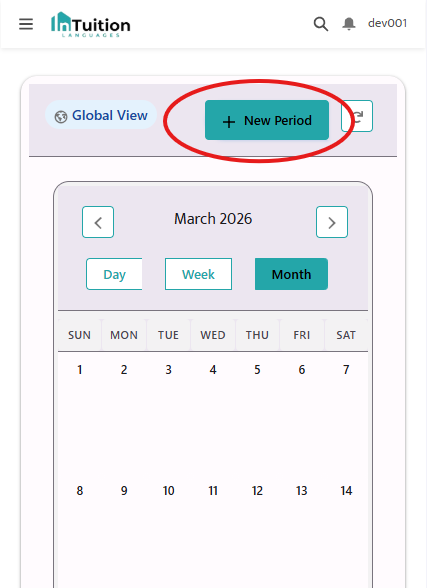
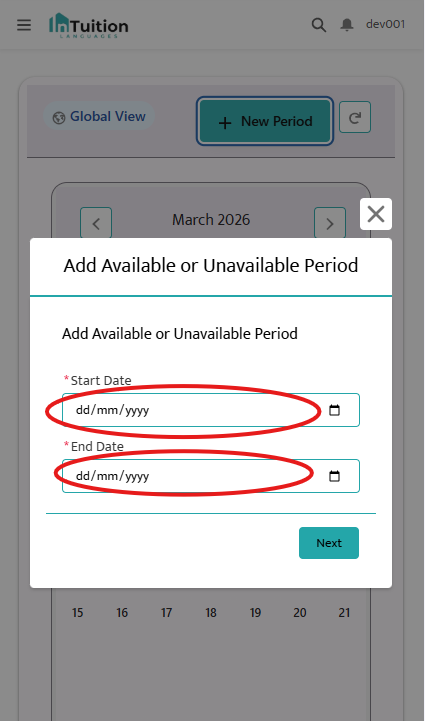

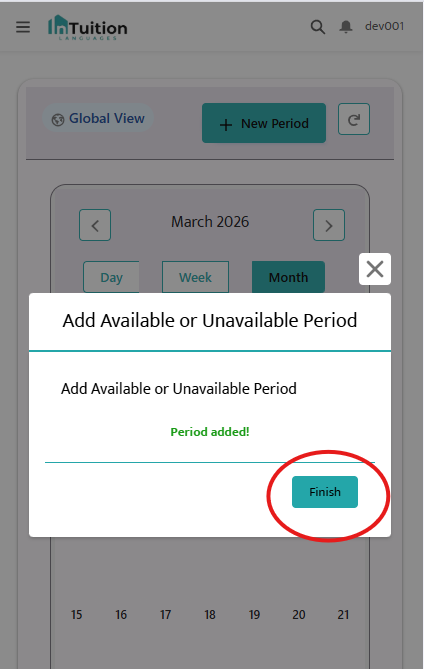

Amending or deleting an availability period
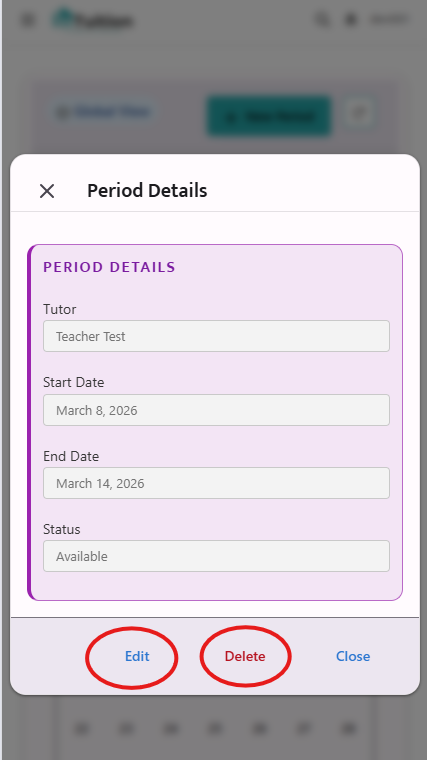
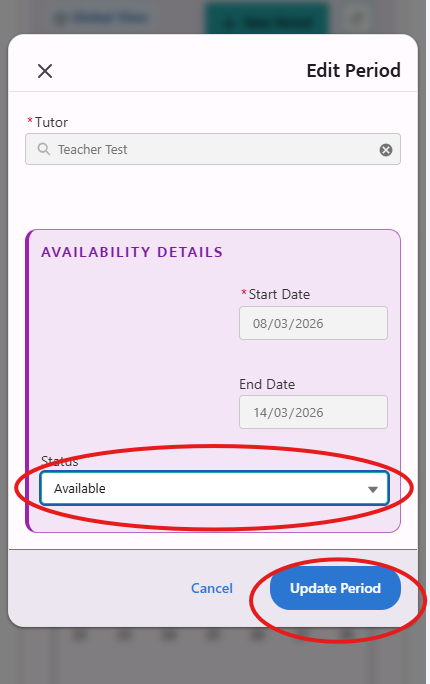
4. Select "Update Period" to save your changes.
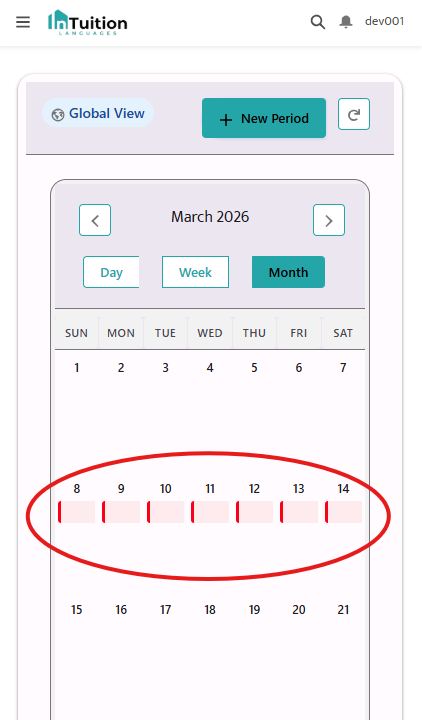
2. Update your Profile
We use the information you provide via the Portal to create your Teacher Profile, which is sent to students when we recommend you for a booking. It is very important that the information which students see on your profile, including your photos, is up-to-date. Please note that changes to your profile can only be made on the Desktop version of the Teacher Portal - not mobile.
Changing, adding or deleting profile information

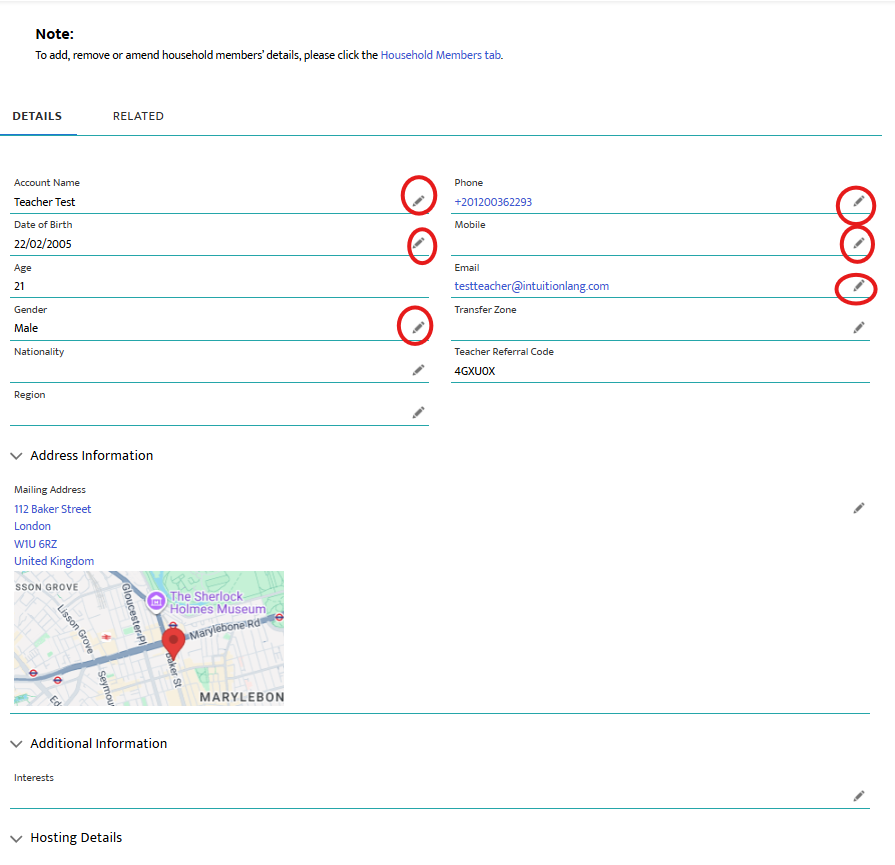

4. Select 'Save' to save your changes.
Adding, changing or deleting Household Members
If you need to change the information we have on record about the other members of your household:

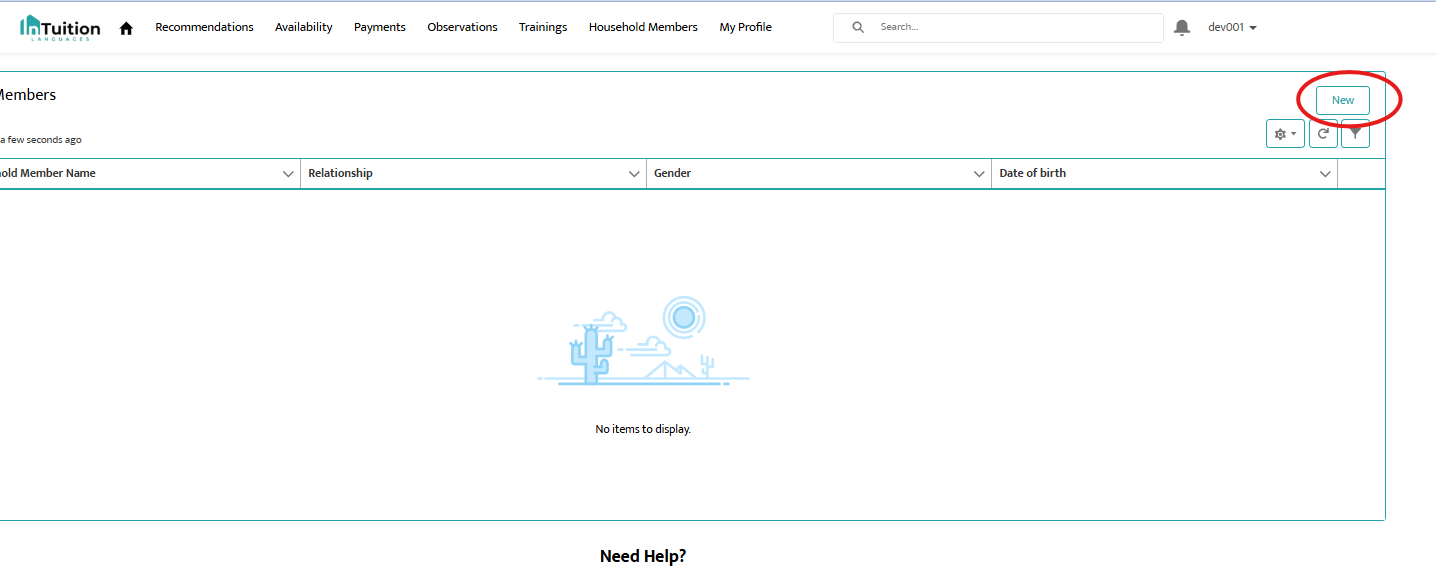
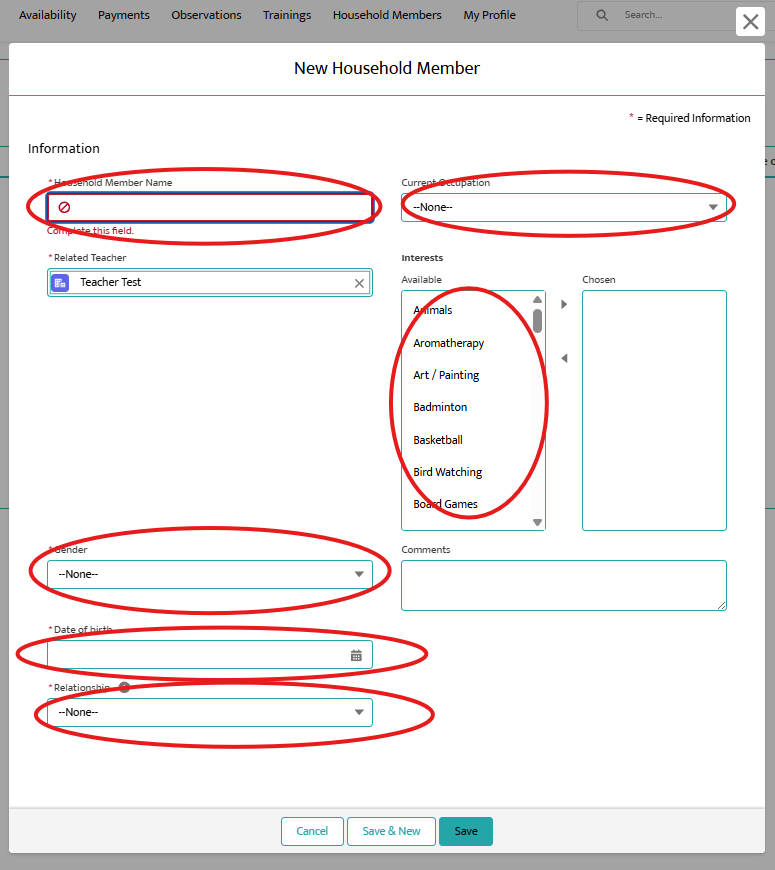
4. Click "Save" to save your changes.

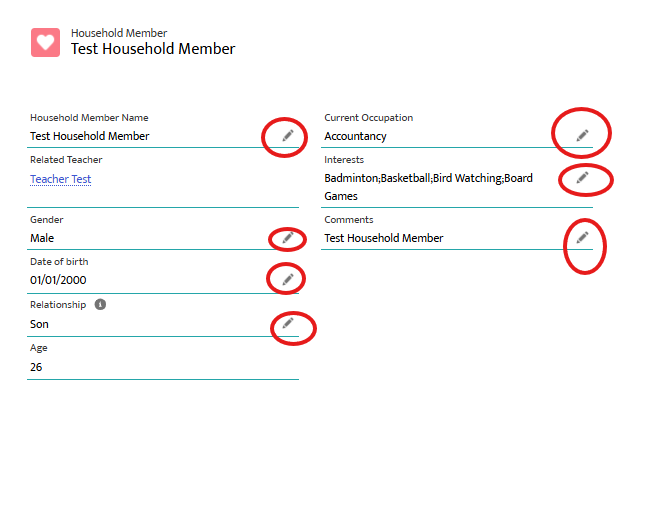
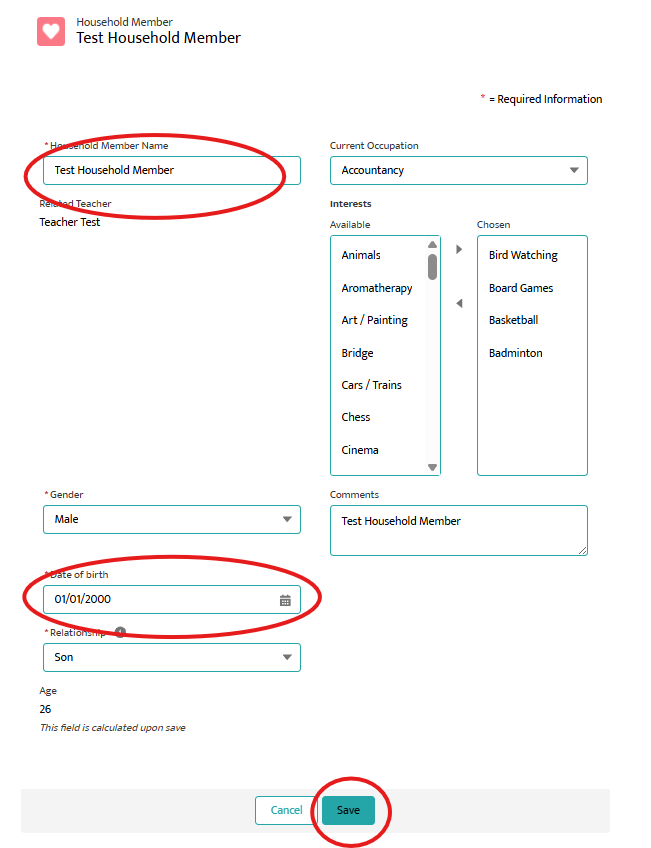
8. Select "Save" to save your changes.